The Salesforce Spring '26 release is here, and it's a significant one! There's a focus on enhancing Flows, improving setup tools, and increasing visibility into records and errors, aimed at making Salesforce easier and more efficient to manage. Depending on your instance, you'll be upgraded on one of the following dates:
January 16
February 13
February 20
If you want to find out exactly which weekend your Salesforce instance will be upgraded, head over to Salesforce Trust and click on ‘Maintenance.’ You’ll need to know which instance your org is running on, so to find out, go to your Setup menu and click on Company Information.
In Salesforce Spring ’26, Salesforce introduced Setup with Agentforce (Beta) to help admins complete setup tasks faster and with fewer clicks. The AI assistant sits directly in Setup and lets admins use plain language to find settings, check access, and get guided help with configuration and troubleshooting, while keeping full control over any changes.
To use Setup with Agentforce, users must have these permissions:
Use setup with Agentforce and Execute Prompt Template
Users must also have access to the Data 360 default data space and the required permissions for the task they want to perform.
To enable Setup with Agentforce, from Setup, enter Agentforce in the Quick Find box, and then click and turn on Setup with Agentforce (Beta). Then refresh your browser.
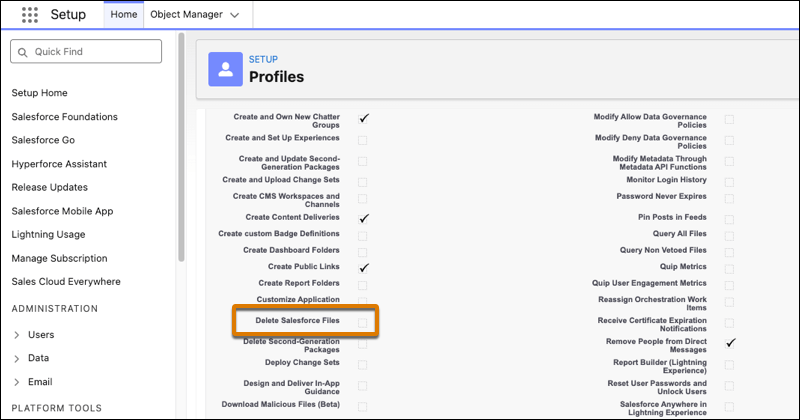
Salesforce now lets users delete files more flexibly with the new Delete Salesforce Files permission. Instead of needing broad admin rights, users with this permission can delete files they have access to, making file management simpler and more secure.
Admins can give this permission through a profile or permission set, allowing the right users to manage files without affecting overall org security.
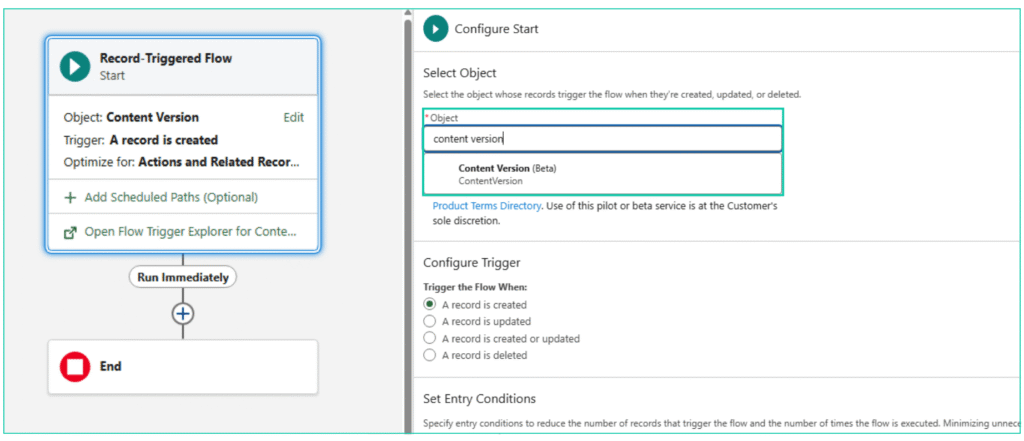
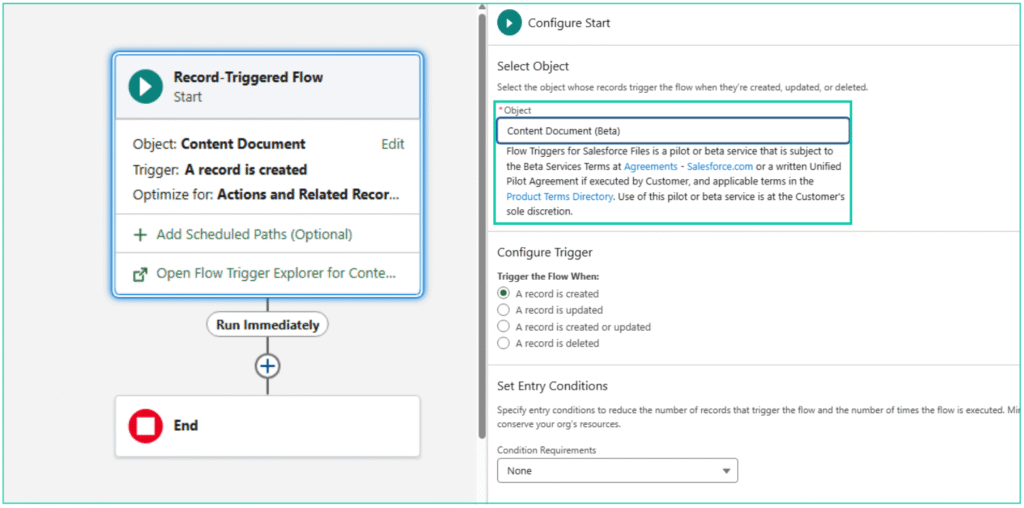
3. Record-Triggered Flows on Content Document and Content Version records
Salesforce now allows Record-Triggered Flows on Content Document and Content Version records. This lets admins automate actions whenever files are created or updated, supporting reliable file operations within your org.
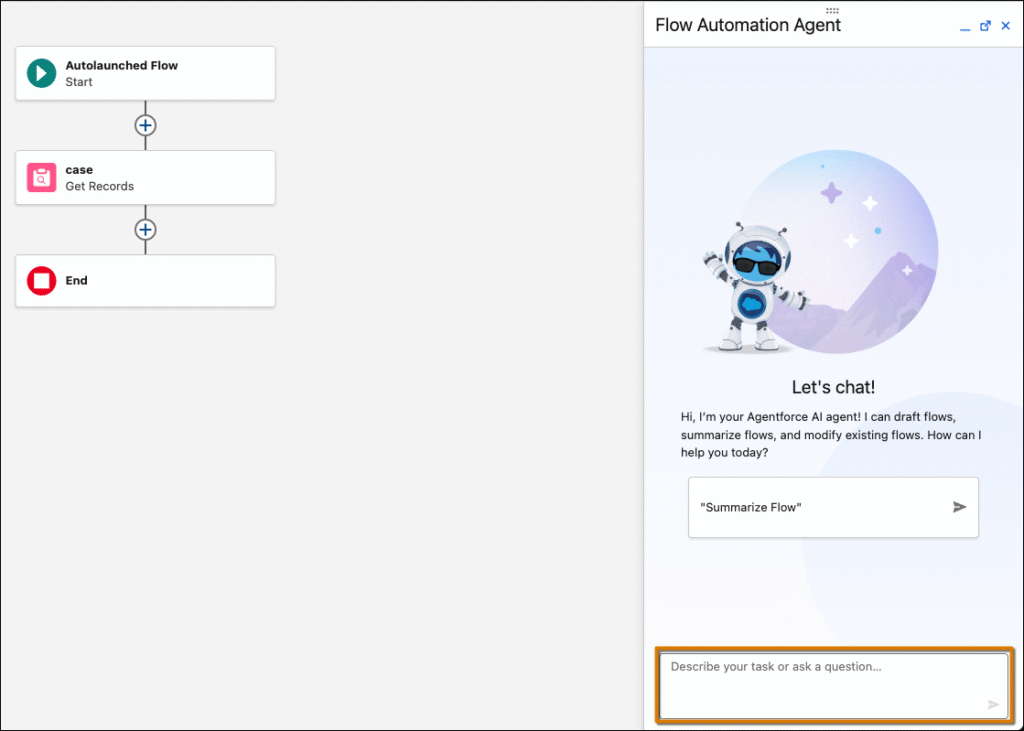
Salesforce Spring ’26 lets admins update existing Flows faster and more flexibly. Instead of rebuilding a record- or schedule-triggered Flow, you can use the Agentforce panel to make changes directly in Flow Builder using conversational prompts. This feature does not consume generative AI credits.
To get started, enable Data 360 and Einstein generative AI, open a Flow, and opt in to Agentforce to start editing with simple instructions.
5. Visualize Record Progress in Screen Flows with Kanban Boards
Salesforce Spring ’26 introduces a Kanban Board component for Screen Flows, letting users see records as cards grouped by workflow stage directly within a Flow. Unlike traditional Kanban views in list pages, this Kanban is read-only. Users cannot move cards, but it gives instant visibility into record progress and details without leaving the Flow. This makes it easy to track workflow stages while guiding users through automated processes.
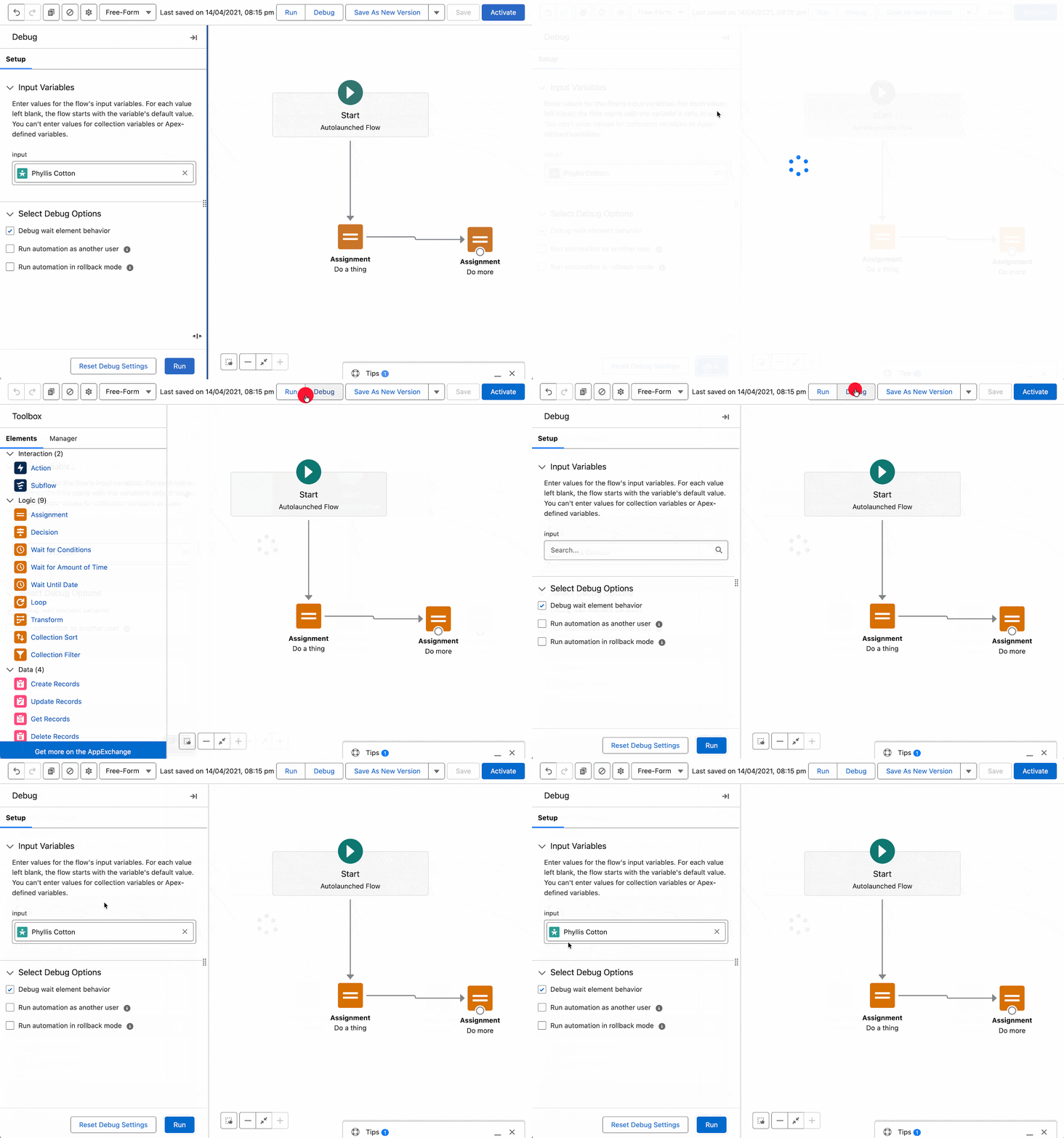
In Salesforce Spring ’26, Flow Builder now keeps your debug settings when you save a Flow. Values like triggering records, input variables, and debug options stay set while you work, so you don’t have to re-enter them each time you test your Flow. To clear settings, just click Reset Debug Settings.
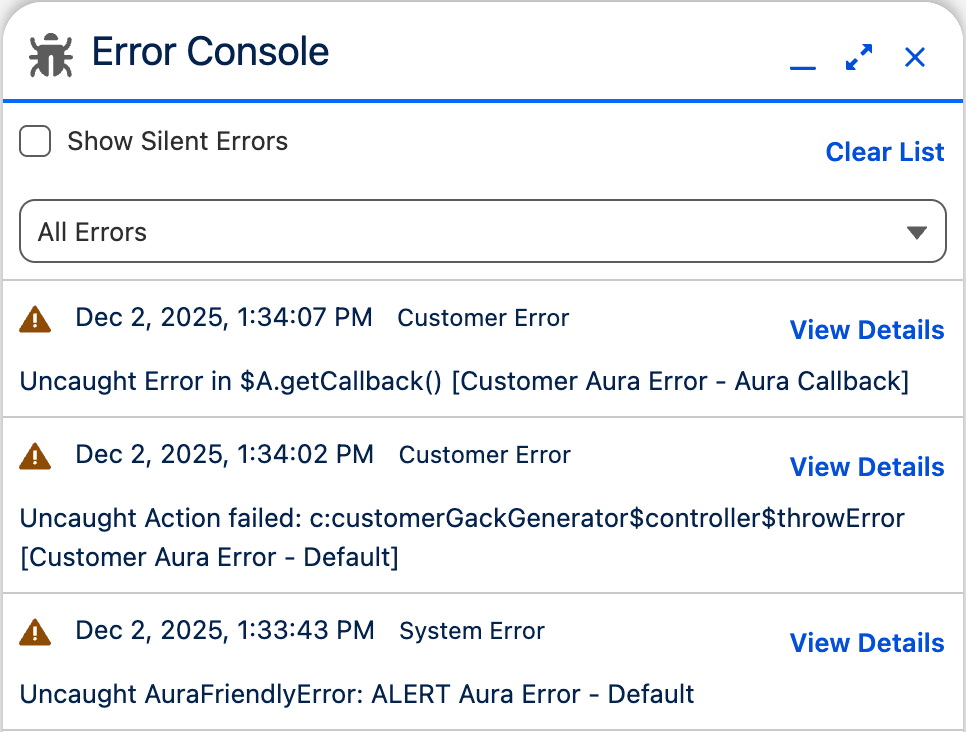
Non-fatal errors can be easy to miss while you work, making them hard to track and address. The Error Console provides a dedicated place that captures page and component errors without interrupting your work. It helps you stay on top of errors without losing focus on your work.
Enable it in Setup > User Interface > Advanced Settings by turning on Use Error Console for error reporting.
Many of the features mentioned in this blog require some background knowledge of Salesforce Administration and how to configure an environment. As always if you need any assistance applying these improvements and tools to your system, don’t hesitate to reach out. We hope you enjoy exploring all the new functionality available in the Salesforce Spring ‘26 release.
It’s that time again - Summer has bloomed for our northern hemisphere neighbours, and so have the latest Salesforce updates! We’ve dug through the Summer ‘26 release notes and handpicked the most exciting features for business users and admins. Check out our latest blog, where we break down the highlights and what they mean for […]
The Salesforce Summer ‘26 release is here, and it's a significant one! There is a strong focus on AI-powered automation, enhanced service capabilities, deeper Slack integration, and platform security improvements, all aimed at improving how organisations build, manage, and secure their Salesforce environments. Depending on your instance, you'll be upgraded on one of the following […]
What Can a CRM Do for Your Nonprofit? We’ve worked with hundreds of nonprofits, and while every organisation is different, they often face similar struggles. These include keeping track of donors and stakeholders, administering programs, managing different communication channels, or organising events and fundraising. Most of these challenges come down to one thing: bringing all […]
In the spirit of reconciliation Enrite Solutions acknowledges the Traditional Custodians of Country throughout Australia and their connections to land, sea and community. We pay our respect to their Elders past and present and extend that respect to all Aboriginal and Torres Strait Islander peoples today.